
If you have an accountant account, you can receive access rights to your clients’ accounts and manage them from the “Client Accounts and Mandates” section.
To accept or reject a mandate, follow these steps:
- Click on your name.

-
Then click on Client Accounts and Mandates.

-
Here, you will find the list of client accounts and mandates.
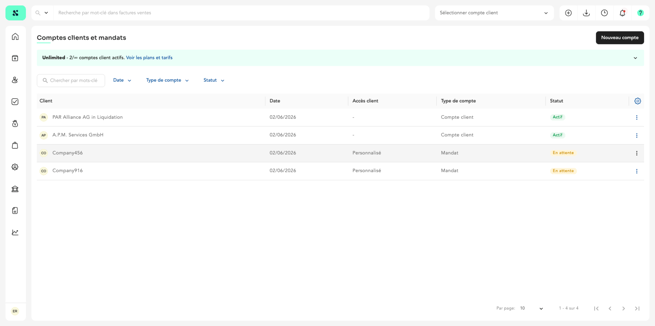
To accept or reject a mandate:
-
In the pending mandate, click on the three dots.
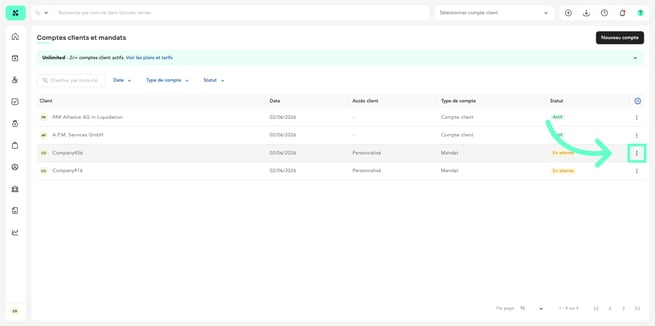
-
Click “Accept mandate” to accept your client’s invitation
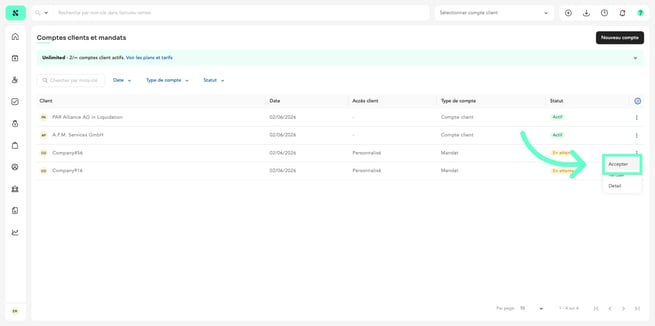
-
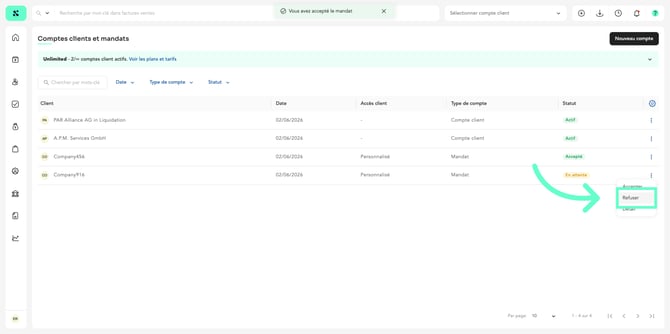
To reject it, click “Reject.”To modify a mandate:
To modify a mandate:
-
Click on the mandate you want to edit.
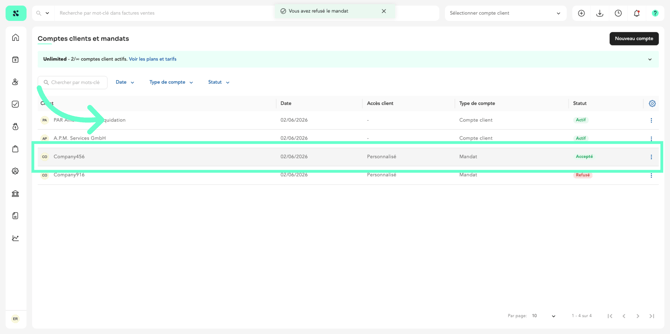
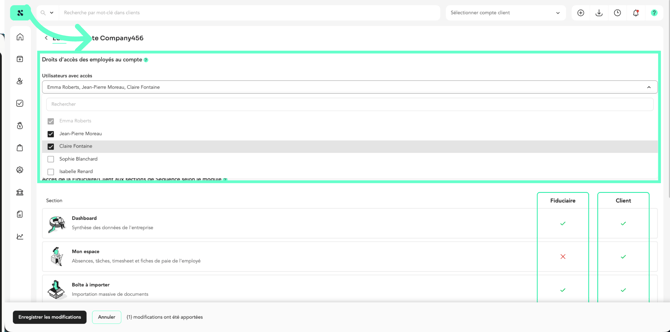
- From the selector, you can add or remove account access rights.
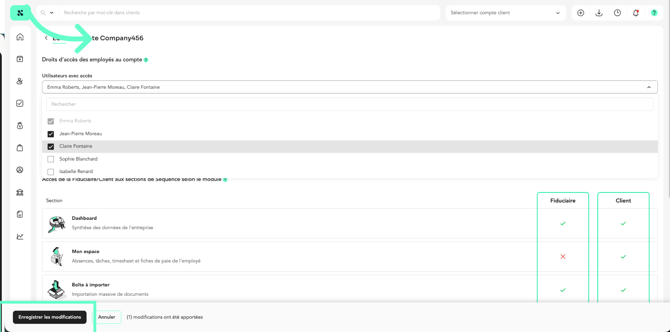
- Click “Save changes” to confirm.
If you would like to learn how your client can send you an invitation to access their account, please refer to the article How do I send my trustee an invitation to access my account?