
Learn how to import a PDF containing different documents into Sequence by following the steps below:
-
Click on "Import Box."
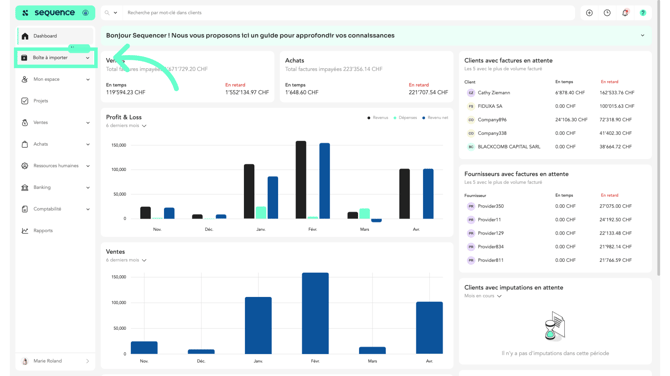
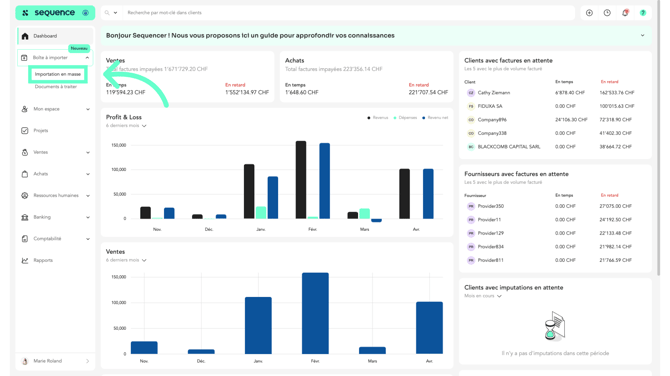
- Then, click on "Bulk Import."
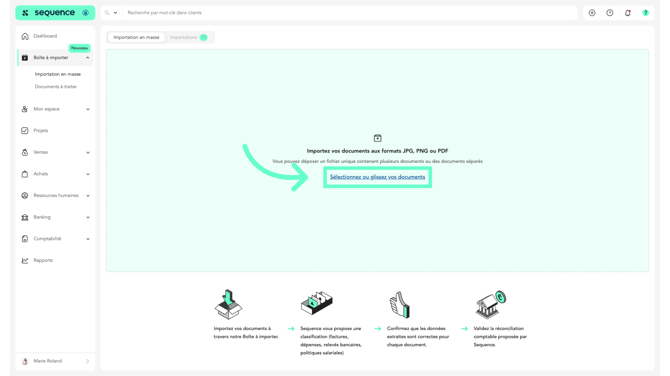
- Select or drag your documents. You can import a single file containing multiple documents or several different files.
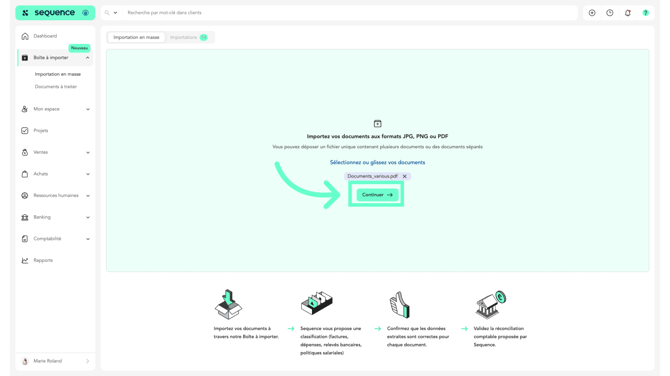
- Once the documents are imported, click on "Continue" to proceed.
- The Import section will appear and show you the status of the imported documents.
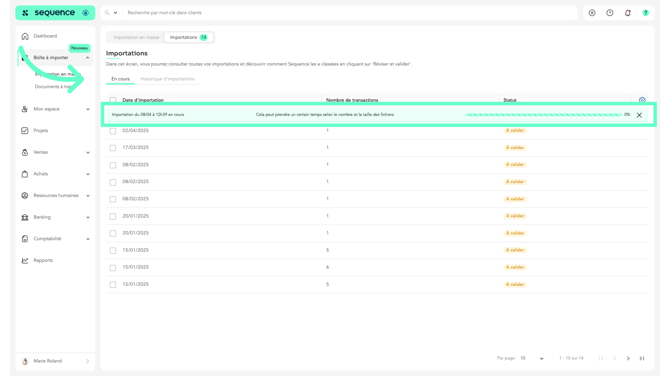
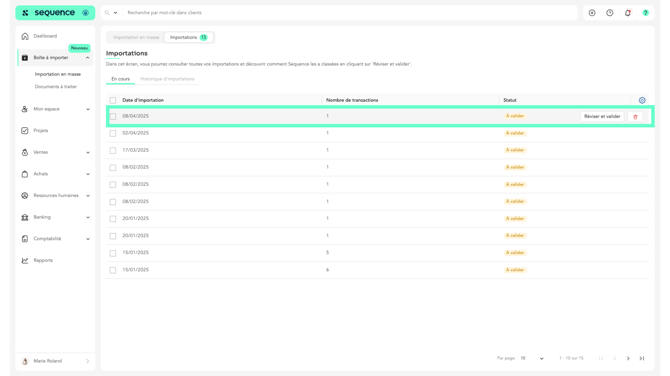
- Once the import is complete, click on the document line to review and validate the categorization suggested by Sequence.
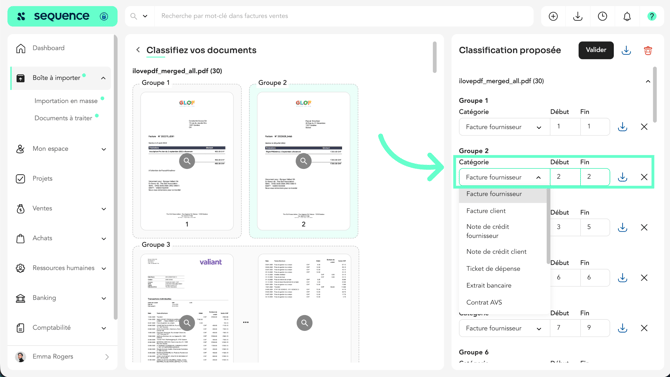
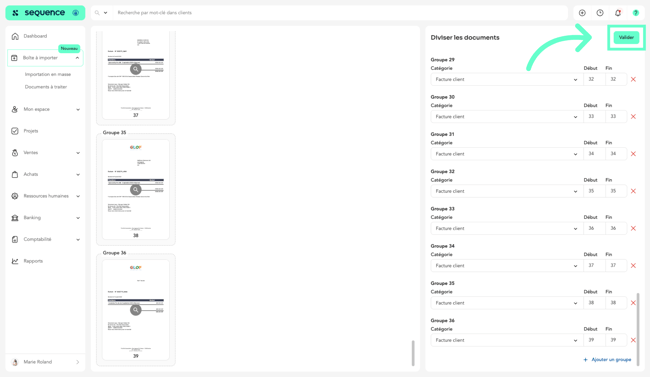
- Sequence splits and categorizes the documents in the file. Review each group to ensure the category is correct and edit it if needed.
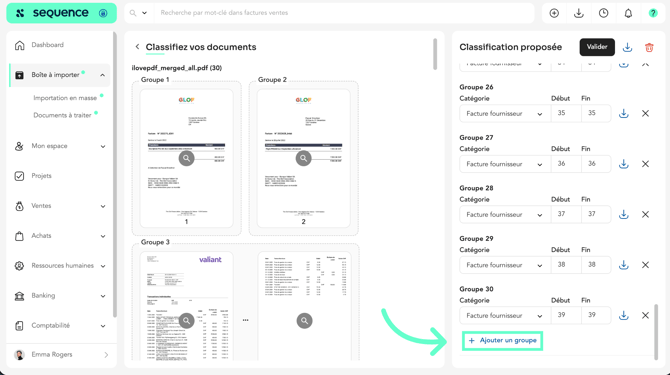
- If the split performed by Sequence is incorrect, you can regroup documents or add a new group.
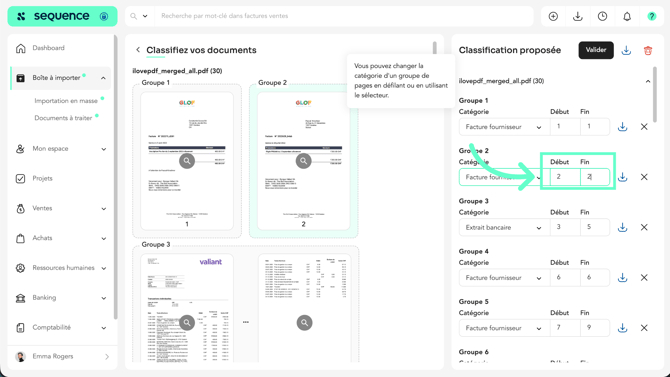
- You can edit the group numbers to add or remove documents from a group.
-
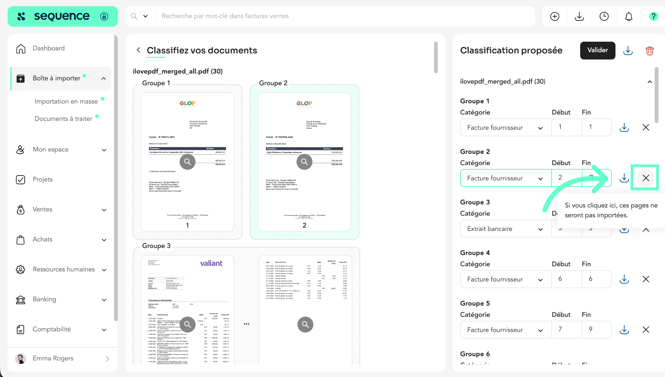
You can delete the pages you don't want to import by clicking the X.
-
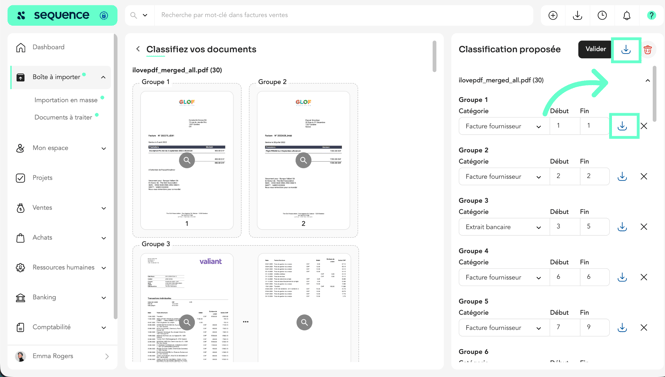
The download icon lets you download all the content or just certain pages.
-
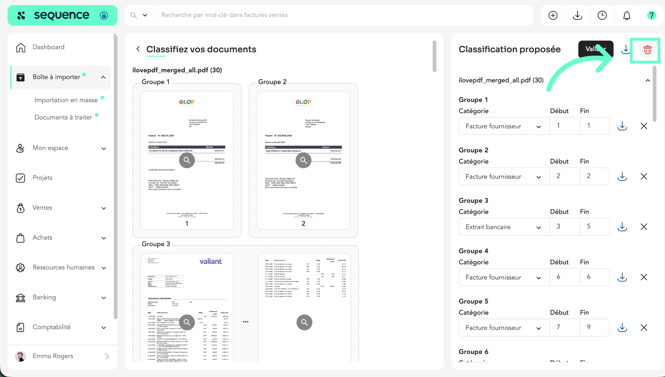
However, you can delete the document by clicking the trash can icon, and it will not be imported.
-
When you're done, click “Submit.”
-
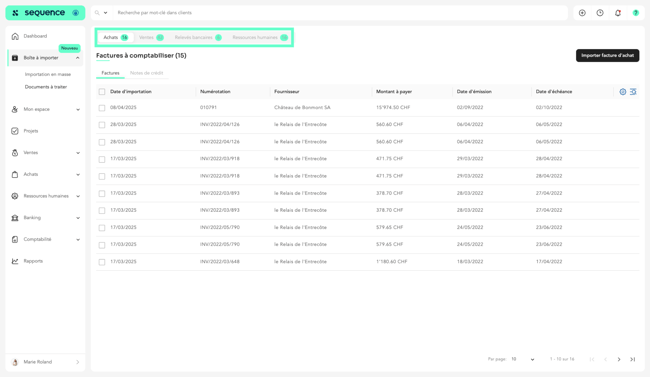
The categorized documents were moved to the tabs corresponding to the different categories.
-
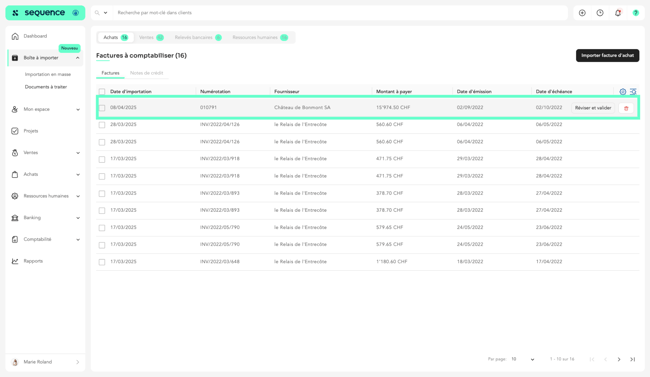
Documents classified as purchase invoices are located in the Purchases tab with the status “To be posted.” Click on an invoice to post it.
-
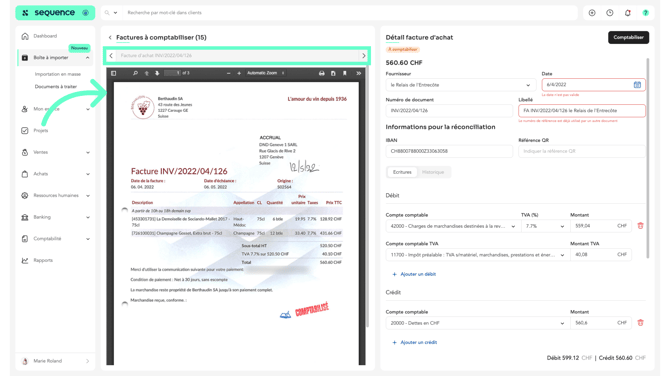
Check that the fields provided by Sequence are correct.
-
Review the accounting accounts suggested by Sequence and modify them if necessary.
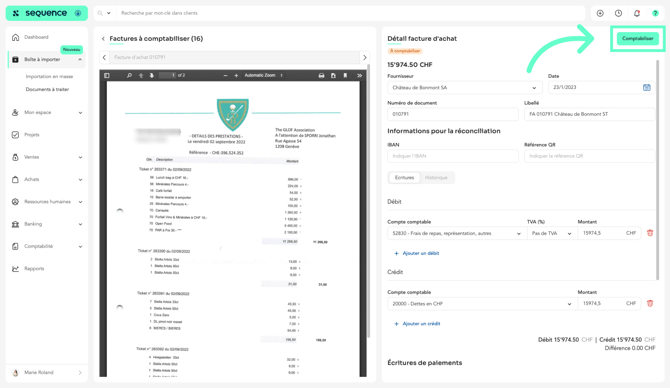
- Once you have finished reviewing the invoice, click “Post” to generate the corresponding journal entries.
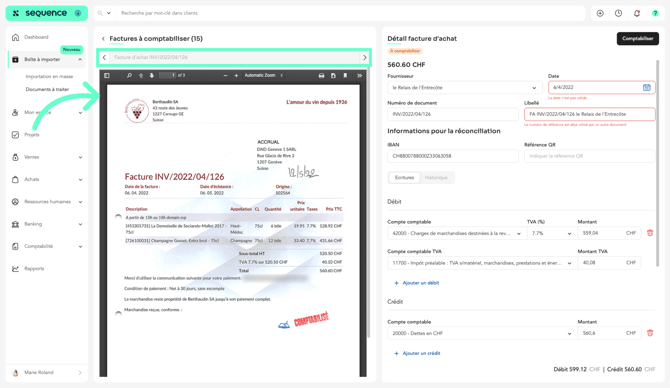
- Sequence displays the next invoice to be posted. You can navigate between invoices by clicking the arrows.
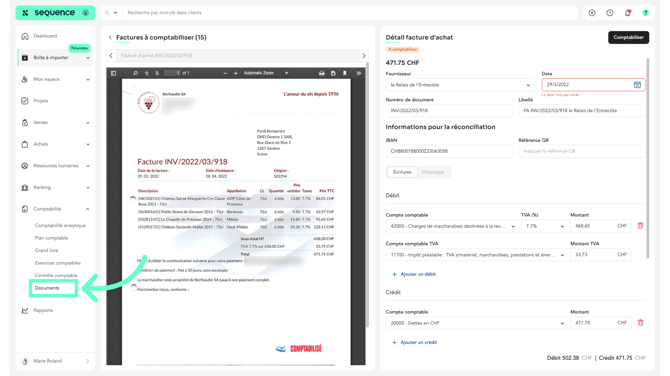
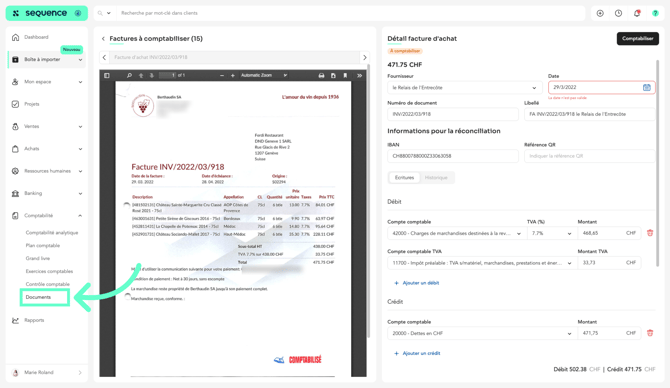
- To view posted invoices, go to Accounting > Documents.
Bank statements imported into Sequence follow a different process than invoice imports.
For more information, please see the article:
"How to Import a Bank Statement in PDF Format?"